

CLI
The official command-line interface for VaultSandbox. Monitor incoming emails in real-time with an interactive terminal dashboard, manage inboxes, and integrate email testing into CI/CD pipelines.
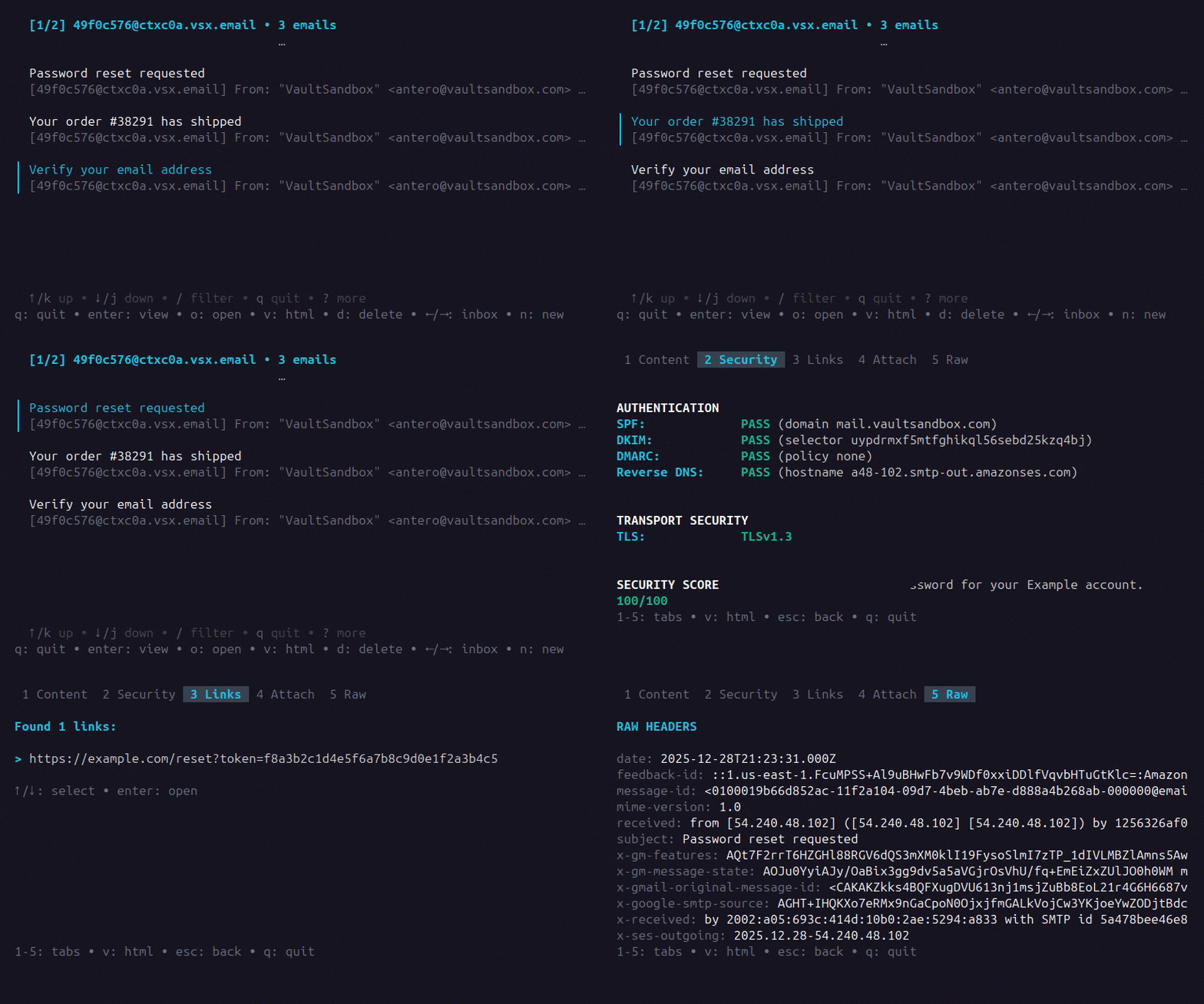
Key Capabilities
Section titled “Key Capabilities”- Real-Time TUI Dashboard: Interactive terminal interface for monitoring emails across multiple inboxes
- Multi-Inbox Watching: Monitor all your inboxes simultaneously with configurable delivery (SSE or polling)
- Webhooks: Receive real-time notifications via HTTP when emails arrive, with built-in templates for Slack, Discord, and Teams
- Email Authentication: View SPF, DKIM, DMARC, and PTR verification results
- Spam Analysis: View spam scores, verdicts, and triggered detection rules (when enabled on the gateway)
- Link & Attachment Inspection: Extract URLs and preview attachments directly from the terminal
- CI/CD Ready: Script email verification with the
waitcommand for automated testing - Portable Inboxes: Export and import inboxes with encryption keys for sharing or backup
- Local Decryption: Private keys never leave your machine - emails are decrypted locally
Requirements
Section titled “Requirements”- VaultSandbox Gateway server
- Valid API key
Gateway Server
Section titled “Gateway Server”The CLI connects to a VaultSandbox Gateway - a receive-only SMTP server you self-host. It handles email reception, authentication validation, and encryption. You can run one with Docker in minutes.
See Gateway Overview or jump to Quick Start to deploy one.
Quick Example
Section titled “Quick Example”# Configure credentialsvsb config set api-key "your-api-key"vsb config set base-url "https://your-gateway.vsx.email"
# Create an inboxvsb inbox create
# Launch the TUI dashboardvsbNext Steps
Section titled “Next Steps”- Installation - Install the CLI
- Configuration - Configure credentials and options
- TUI Dashboard - Learn the interactive dashboard
- Inbox Commands - Manage inboxes
- Webhook Commands - Set up real-time notifications